

A consistent character, shot after shot.
Save your character once. Every picture after that is the same person.
Already have an account? Sign in
Free to start · No credit card
A consistent character, shot after shot.
Save your character once, then pick it from a list instead of describing it again. The same face turns up in four different places, and in a video of them talking. You write the scene. The character comes with you.

Characters live in your Workspace, so this is a studio you sign in to.
Part of AI images.
How do you keep the same character in every AI image?
Save the character once, then pick it instead of describing it. In Kyndrify you choose a Digital Twin, an Avatar or a ready-made character, pick the look you want, and describe only the scene. The character's own photos ride along as references on every render, so the face you got yesterday is the face you get today.
Who it is for
Anyone who needs one recurring face. Creators building a channel around a character, marketers running a spokesperson across a campaign, agencies holding a client's presenter steady, course makers who want the same teacher in every lesson.
What you need
A character. Pick a ready-made presenter and start now, build an Avatar, or build a Digital Twin from one photo of a real person with their consent recording on file. After that, one sentence per scene.
What it costs
A square picture of your character costs 40 credits on Light, 152 on Standard and 600 on Premium. A wide or tall one costs half again as much. Premium is on the Basic plan and above. See what a plan's credits buy.
What it does not do
Nothing is trained on your character. You get one picture per submit once a character is picked, and fine detail such as a small tattoo, a ring or a logo can drift, so look at a set together before you publish.
A Digital Twin is a real person with a consent recording on file. An Avatar is a character we generated, with nobody real behind it.
Save it once, then pick it.
- 1
Make the character
Pick a ready-made one and there is nothing to build first. Build an Avatar if you want a character nobody has seen before. Build a Digital Twin if the character is a real person, which takes one photo of them and a short consent recording of them on camera, between fifteen and ninety seconds long. The free plan comes with one Starter Twin, for life.
- 2
Pick the character, and pick a look
Both sit at the top of the composer. The look you choose is the version you get, so “her in the navy jacket” is a pick rather than a paragraph you have to retype.
- 3
Describe the scene, not the person
This is the part people get wrong. Do not write the face again. Write the room, the light, the time of day, what they are holding. The price sits on the button before you press it, so you know the cost before you spend it. Then do it again for the next scene.

Looks are how you ask for a specific version.
A Look is a saved appearance of your character. The same person in a suit, in scrubs, in a linen shirt on a Sunday. When you pick one, its picture goes to the front of the references for that render, which is how the studio knows which version of them you meant.
This is the control that fixes the failure most people arrive with. You did not get a different person last time. You got the right person wearing something you never asked for, because nothing in your sentence said what they were wearing. Picking a Look says it.
If a Look is not finished yet, the studio tells you so and stops. It will not quietly hand you a different appearance and let you find out after you have published it. Building a real person's character is its own short flow: create an AI version of yourself, a Digital Twin built from one photo with your consent on record.
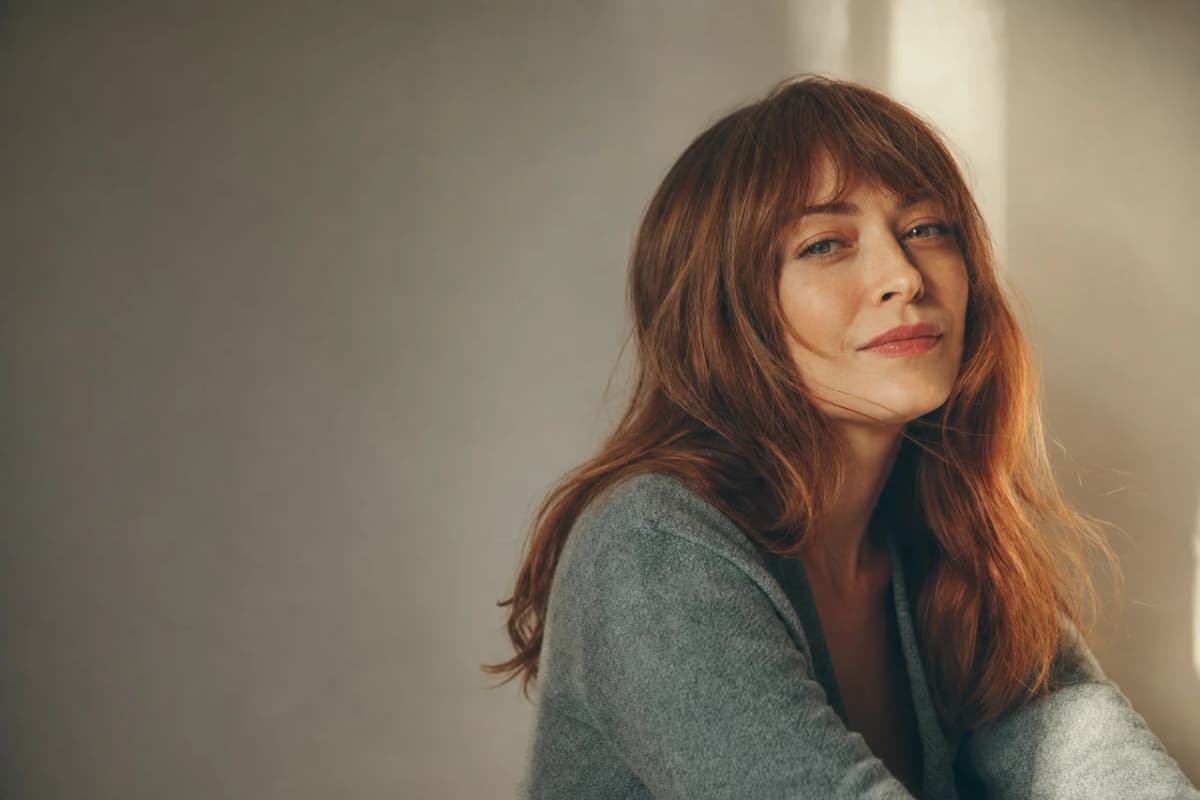
Character consistency without training a model.
There is no training step here, and there is nothing to wait for. Your character's saved pictures are sent as references with each render, and that is the whole mechanism. Kyndrify does not use your photos, voice, scripts or finished media to train a Kyndrify model.
Up to four reference images guide one image render, and a chosen character takes one of the four. That leaves three for whatever else you want the studio to look at: a product, a room, a piece of clothing, a photo of the exact chair.
One thing to plan for. Once a character is picked, the studio treats the render as an edit of that character, so you get one picture back rather than a set of takes, and the button says “Edit image” instead of “Generate”. Four takes at once is the path where you start from words alone.

The same character in a video.
The character you just used in a picture is the same saved character your videos use. Give it a script and it talks, in a voice you chose, with the same face you have been publishing all week. On the free plan a talking-head video runs to 60 seconds. That is long enough to see whether it looks like them.
A paid clip can also hold more than one of your characters in one shot, so two of them can share a scene. How many fit depends on the mode you pick, and the picker tells you before you render.
A set of images and a video of the same person are usually two different characters made two different ways. Here they are one character, saved once. Read about talking-head video, a script becomes a video in your own face and voice, or freeform video, short clips from text or a reference image.
One character, four settings.
Same person, four places. We made these from one reference picture, one scene at a time, describing a different room and a different outfit each time. Look at what stays: the face, the jawline, the hair colour. Now look at what moves, because we asked it to: the room, the light, the clothes, the way her hair is done, the way she is standing. That is the difference between a character that holds and a character that is frozen, and it is the whole point of saving one.

At the kitchen table
A white shirt, a phone on a tripod, morning light through the window behind her.

On the sofa at home
An olive cardigan and jeans, a lamp on, bookshelves in the room behind.

At the whiteboard
A blue shirt, hair tied back, a marker in her hand and three numbered steps beside her.
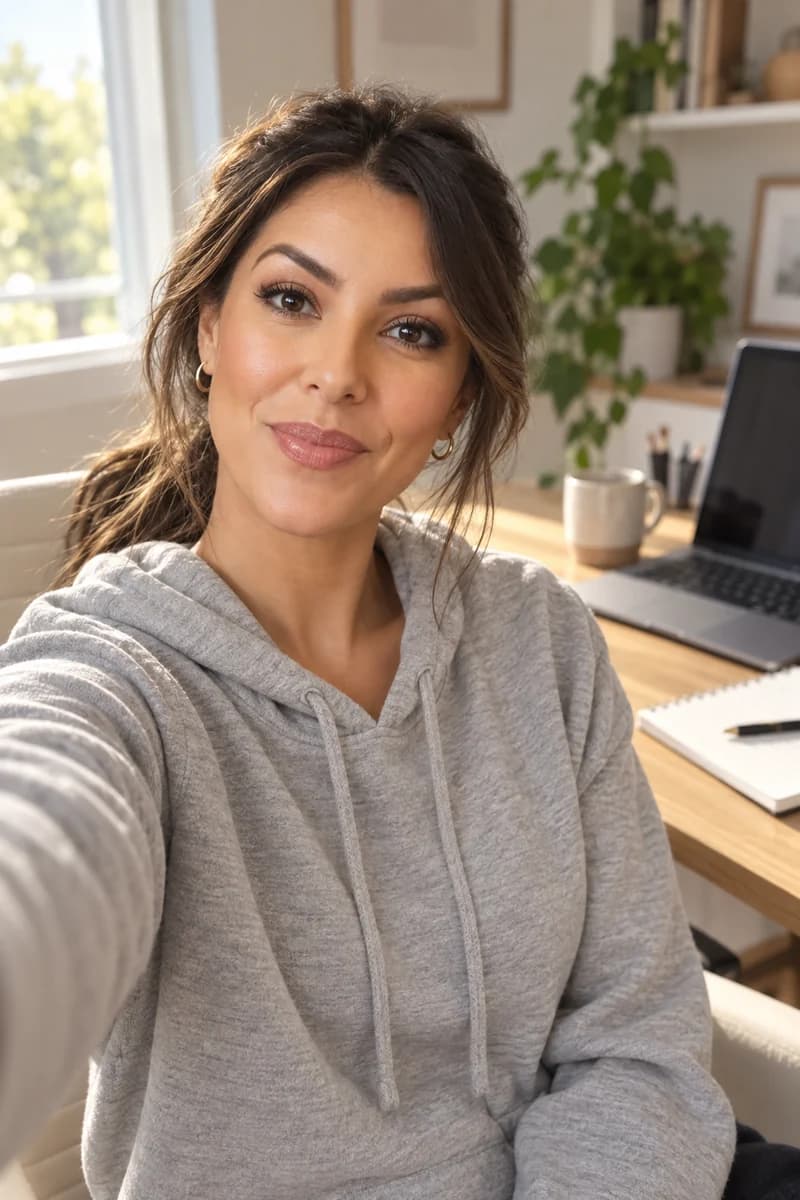
Close in, at her desk
A grey hoodie, filmed at arm's length beside the laptop. Same face, much closer in.
A real person needs their permission.
A real person's Digital Twin needs a current consent record before it can render anything. If your character is a real person, it is a Digital Twin, and that record is a short video of them on camera, kept on file. The consent lasts a year and then they give it again, and they can withdraw it. An Avatar is a character we generated, with nobody real behind it, and it needs no such record. Both work the same way everywhere else on this page.
You cannot use somebody else's face because you have a photo of them. That is what the consent step is for, and it is the reason a character you build here can be used for a year of content instead of one risky post.
You can ask for a copy of your data or ask us to delete it, under the privacy laws that apply to you, such as the GDPR in Europe and the CCPA in California.
Machine-verifiable disclosure and provenance are being rolled out and are not yet guaranteed on every output. So follow the disclosure rules that apply wherever you publish, read how we build responsibly, and read the biometric notice below for what we hold and for how long.
What holds, and what drifts.
When something drifts, do not start the character over. Render that one scene again, or open the picture and change the one part that is wrong.
Holds well
The face, the build and the hair colour. This is what the references are for, and it is the part you can plan a week of posts around.
Drifts sometimes
Small tattoos, rings, the exact shade of a jacket, a logo on a shirt, the pattern on a scarf. Check a set together rather than one picture at a time.
One at a time
With a character picked you get one picture per press. Ask for the next scene, rather than four at once.
A product is a different job
Holding an object steady across shots is product photos, studio product shots from a photo you already have.
Questions about one recurring face.
- How do I generate images of the same person?
- Save that person as a character once, then pick them from the list on every render and describe only the scene. Their saved photos go along as references each time, so you are not relying on a description to reproduce a face. If it is a real person, they record their consent first and the character is theirs from then on.
- Can I use a reference photo instead of building a character?
- Yes. You can point at a photo for a one-off render, and you can add up to four reference pictures to a render. The difference is that a photo helps this render and a saved character helps every render after it, which is what you want if the same face has to turn up again next week.
- Do I have to train a model on my character?
- No, and there is nothing to wait for. The character's pictures are sent as references with each render. Kyndrify does not use your photos, voice, scripts or finished media to train a Kyndrify model.
- Will it look exactly the same every time?
- The face, the build and the obvious details hold. Small things can move: a ring, a tattoo, the exact shade of a jacket, small printed text on a shirt. Look at a set side by side before you publish it and redo anything that drifted. One picture on its own always looks right; a set is where you catch it.
- Can I put the same character in a video?
- Yes. The character you use in an image is the same one your videos use, so a set of pictures and a video of that person talking are the same character rather than two lookalikes. On the free plan a talking-head video runs to 60 seconds.
- Can I do this on the free plan?
- You can. The free plan gives you one Starter Twin for life, and the ready-made characters are open to everyone. The free plan includes 8,400 credits once. Past that one, building more characters of your own starts on Plus, which holds three of them, and more above that. Videos and images made on the Free plan carry a visible mark, and the studio checks for it before it hands the file over.
The tools that do this
More on this from the blog

Build the character, then stop describing it.
Pick a ready-made character and render one scene, or build your own and keep it. Either way the next picture starts from the same person.