

The AI content creation platform that runs on one balance.
Video, voice and images in one Studio, all on the same credits.
Already have an account? Sign in
Free to start · No credit card
 The script, saidin a real face.
 The cutaway youdescribed in a line.
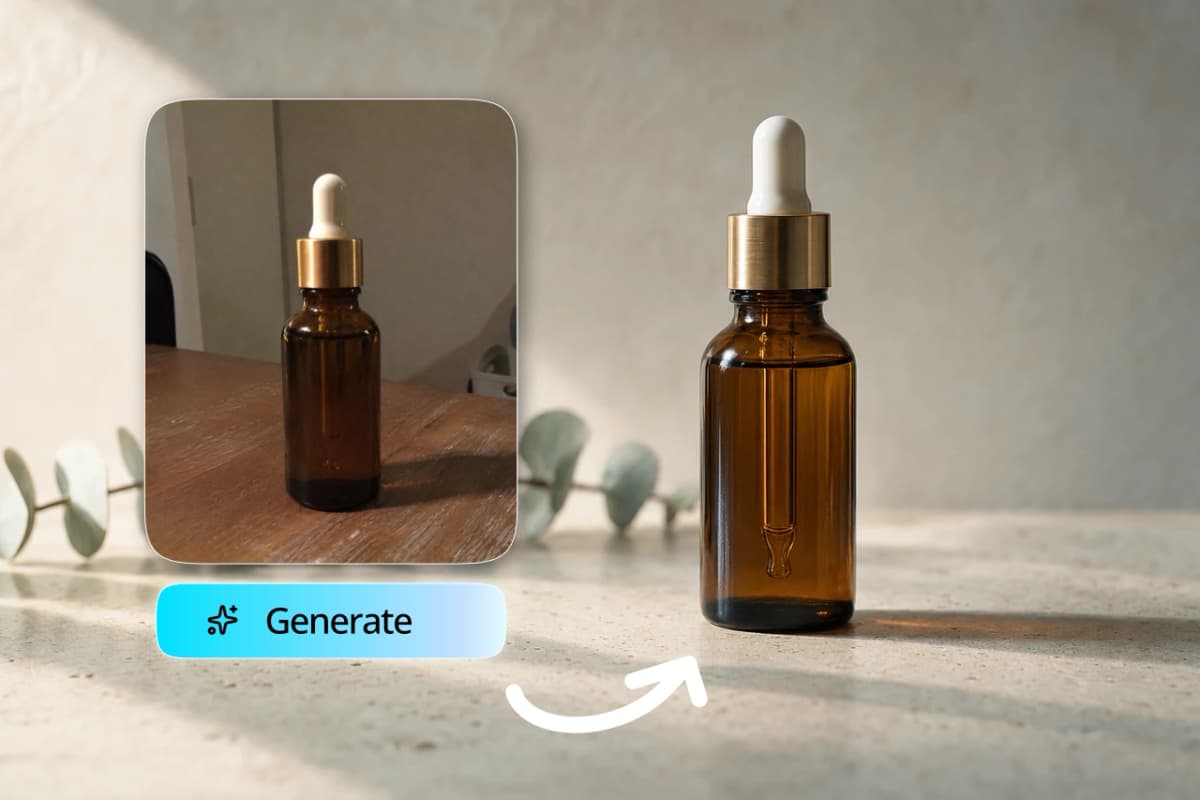
 The product, litwithout a studio.
The AI content creation platform that runs on one balance.
Video, voice and images live in one Studio. Every tool spends from the same credits, so you are not paying four subscriptions to finish one video.
A real render, made here. No camera was involved.

Kyndrify makes the files and hands them to you. It does not schedule or post them.
What does Kyndrify actually cover, and what does it cost?
Kyndrify is one Studio for making video, voice and images from a script or a photo. Pick a Featured Avatar and render straight away, or put your own Digital Twin in a full-length video on the Plus plan. Then make talking-head video, short clips, images, voiceovers and dubbed versions. Every tool spends the same credit balance. Nothing is scheduled or posted for you.
Who it is for
One person or a small team making video, voice and images every week, who would rather run one plan than four.
What you need
An email and a script. Add a photo and a short recording if you want your own face and voice in it.
What it costs
Free starts with 8,400 credits, once, and the starter credits do not expire. A second of video with a person on screen is 96 credits on the default rail, which every plan can use, and 152 on the higher-quality rail from the Plus plan up; either way one render bills at least 120 credits. A voiceover is 3 credits a second and an image starts at 20 credits. Plus, the first plan with your own Digital Twin, is $49 a month billed yearly, or $59 month to month.
What it does not do
It never schedules or publishes your files, and it only dubs videos that were made here.
The full ladder, plan by plan, is on the pricing page.
What you can make today.
Every tool below is open right now, apart from the few marked Coming soon, which are named again in the limits list further down. Most have a page of their own if you want the detail.
The editor
Trim, cut the mistakes out of a take, add captions and music, and export the cut. It is built around one person talking to a camera.
One balance, every tool.
There is one pool of credits per Workspace, and every tool draws from it. Nothing is metered separately, so you never have to guess which of four bills a video landed on.
The numbers to hold in your head:
- A second of video with a person on screen is 96 credits on the default rail, which is open on every plan. The higher-quality rail is 152 a second, from the Plus plan up. Either way, one render bills at least 120 credits.
- The Cinematic setting is its own rung: 228 credits a second at 720p, 540 at 1080p. You pick it per render, so you know before you spend.
- A second of voiceover costs 3 credits.
- An image starts at 20 credits on Light.
- Exporting a cut from the editor costs 20 credits a second of timeline, with a floor of 60 credits.
Free gives you 8,400 credits once, and those starter credits are yours to keep: they do not expire. Plan credits reset when the plan renews. One-time credit packs sit on top and last three months.
What each plan opens.
This is what each line opens, not what each line costs per credit.
- Free. Nothing to pay, and 8,400 credits, once. It carries one Starter Twin from a photo, and a short sample video of it so you can see yourself on screen. Getting that Twin ready for full-length video comes with the Plus plan. Every Featured Avatar and every Featured voice is open, renders on them run up to one minute and carry a visible mark, plus Light and Standard images and 5 Kae planning sessions a month.
- Plus. $49 a month billed yearly, or $59 month to month. This is the line that opens characters of your own, as many cloned voices as you like, 1080p with no visible mark, short clips, dubbing, Premium images and Enhance. It is also the line that gets your Digital Twin ready for full-length video.
- Pro. $99 a month billed yearly, or $119 month to month. Everything Plus opens, and team seats start here: one is included and more are $20 each.
- Max. $199 a month billed yearly, or $239 month to month. Everything Pro opens, plus co-branding on the consent step and Kae sessions without a monthly count.
- Ultra. $499 a month billed yearly, or $599 month to month. Everything Max opens, with five seats in the base price instead of one.
The monthly credit grants, the character slots and the plan-by-plan session counts are all on the pricing page. There are no refunds, so start on Free and spend the starter credits before you pick.
One job, four tools.
Here is what one platform looks like on a Tuesday, when you have a product update to announce.
You open Kae and describe the update. She comes back with a script in beats, a shot per beat and a price for the whole thing, before anything runs. You change two lines and approve it.
The main takes render with your Digital Twin, so it is your face and your voice saying it. The two cutaways come back as short clips. The one thing Kae could not shoot, a clean picture of the new packaging, comes out of the image tool from the photo you already had.
Then you open the editor, cut the stumble out of take two, drop the cutaways in, and export. One balance paid for all of it, and the credits came off in one place.
Made with consent, disclosed as AI.
A real person's Digital Twin needs a current consent record before it can render anything. An Avatar is a character we generated, with no real person behind it, and it needs none. That split is deliberate, and it is how real faces stay protected.
Videos and images made on the Free plan carry a visible mark, and the studio checks for it before it hands the file over. Paid plans download with no visible mark on the file. Machine-verifiable disclosure and provenance are being rolled out and are not yet guaranteed on every output.
Three renders, made here.
One from each of the three tools a week usually needs. Nothing was filmed and nothing was photographed for them.


What we deliberately do not do.
Five things this platform will not do for you. Knowing them now is cheaper than finding out in week three.
It does not post anything.
There is no scheduler, no calendar and no connection to your social accounts. You download the file and publish it wherever you publish.
It only dubs what you made here.
Dubbing re-voices a finished Kyndrify render into one of ten supported languages. There is no door for uploading a video from somewhere else and getting it back in another one.
The ad and writing tools are not open yet.
Ad Creator, Copywriter and Marketing Studio sit behind a gate while we finish them, so a new customer cannot buy them today. The video, image and voice tools are open.
Image-to-motion is not available yet.
If you want a still to move in the meantime, a short clip takes an image as a reference.
The editor is narrow on purpose.
It is built around one person talking to a camera. There is no multicam, and nothing follows a speaker around the frame for you.
Questions a buyer asks before switching.
- Is this one subscription or several?
- One. A Workspace sits on a single plan, and every tool spends from the same credit balance. There is no per-tool add-on and no second bill for images or voice.
- What can I actually make on the free plan?
- Quite a lot, once. You get 8,400 credits that do not expire, every Featured Avatar and every Featured voice, renders on them up to one minute with a visible mark, Light and Standard images, voiceovers, transcripts, and 5 Kae planning sessions a month. You can also build one Starter Twin from a photo and watch a short sample of it. Getting that Twin ready for full-length video comes with the Plus plan.
- Can my team work in the same place?
- Yes, from Pro up. Pro and Max include one seat and sell more at $20 each. Ultra includes five in the base price. Everyone in a Workspace shares the one credit balance.
- Do credits roll over?
- Plan credits reset when the plan renews. One-time credit packs last three months from the day you buy them. The 8,400 starter credits are the exception: they do not expire.
- Can I try it without uploading a photo of myself?
- Yes. Featured Avatars and the voice library are open on every plan, so your first render can happen before you decide whether you want your own face in it.
- What is not included?
- Scheduling and publishing, dubbing a file from somewhere else, and the ad and writing tools while they are gated. Image-to-motion is not available yet. Everything else on this page is open today.
Where to go next.
Start with the 8,400 credits, then decide.
No card, no call, no trial clock. Spend the starter credits on a real video and see whether one balance is the shape you want.