

An AI video generator with your own face.
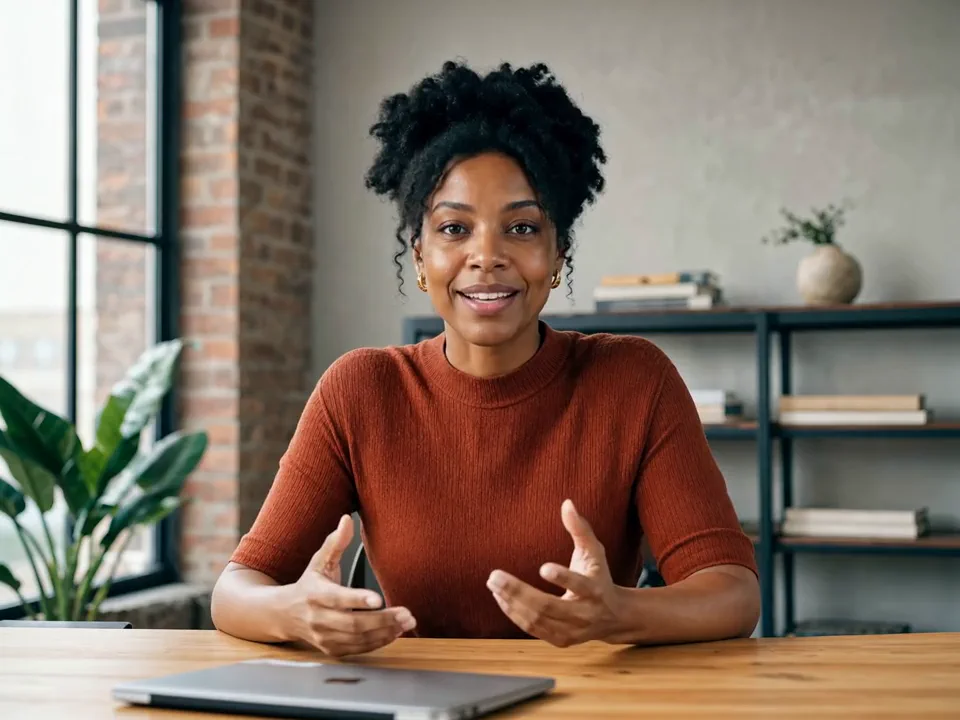
Say what the video should say. Get a finished video back.
Already have an account? Sign in
Free to start · No credit card
An AI video generator with your own face.
Say what the video should say and pick who says it. It comes back finished, in your own face and voice or in one of ours. No filming day, no crew, no waiting on an edit.
Kyndrify makes the video. It does not post it, schedule it, or run your ads for you.
Part of Product.
What is an AI video generator?
An AI video generator turns words into a finished video. In Kyndrify you write what you want said, choose who says it, and get a file back. That can be your own face and voice, saved once as your Digital Twin, or a presenter from our library. If nobody is on screen, you describe the scene instead.
Who it is for
Anyone who needs a video and does not want to organise a filming day.
What you need
A script, or just the idea. A photo and a short recording if you want the video to be you. A presenter from our library renders on Free; your own face renders on Plus and above.
What it costs
A video with a person on screen is 96 credits per second, with a minimum of 120 credits per video. Plus and above also open a higher-quality rail at 152 credits per second. Free starts you with 8,400 credits, once, which covers a full minute.
What it does not do
It will not put new words in the mouth of somebody you filmed, and it does not post or schedule anything.
Start with what you already have
Pick the row that matches the thing on your desk right now.
How one gets made
1. Pick what you are making. One of the doors above. If you are not sure, start with a presenter reading a script: there is nothing to build first.
2. Say what it should say. Type the script, paste one you wrote elsewhere, or hand Kae the idea and let her write the plan for you to approve.
3. Render it. Press the button and walk away. The finished file lands in your Library, ready to download or hand to somebody with a link.
Text to video, when nobody is on screen
Not every video needs a face. Describe the shot the way you would describe it to a camera operator and Freeform renders it: the street at dusk, the hands on the keyboard, the empty room before the meeting. You can hand it a reference image too, so the clip matches something you already have.
Freeform renders are on every plan: up to 720p on Free, with the Kyndrify mark. 1080p with no mark starts on the Basic plan, and Cinematic Ultra Extended and Pro Flash render at full resolution from the Plus plan.
Vertical, square or wide
Freeform renders wide, vertical or square, so a clip is the right shape for a feed, a reel or a landing page without being cropped after the fact.
A video of a person works differently, and it is worth knowing before you start. Your Digital Twin carries its own framing from the look you set up, so the shape is decided when you build the character, not at render time. Set a vertical look and every video of you comes back vertical.
Free videos carry a small Kyndrify mark. Basic and above render at 1080p with no mark, and Enhance, which sharpens a finished video, is on those plans too.
Your own face, not a stock presenter
Your face and your voice are what this is built around. You save them once as a Digital Twin, and after that every script you write comes back as you saying the words: your posture, your accent, the way you land a sentence. That is what Plus and above buys you, and it is the reason the plan exists.
A presenter from the library is there for the videos that should not be you, and it is also where a free Workspace starts. A described scene is there for the ones with nobody in them. All three live in the same Workspace and the same credits pay for all of them, so which one you use is a decision per video, not a decision about which tool to buy.
What a video costs
You pay per second of finished video, so a short video costs less than a long one.
A person on screen is 96 credits per second, with a minimum of 120 credits per video. A lighter rail runs at 57 credits per second on any plan, and Plus and above open a higher-quality one at 152. Exporting a video from the editor costs 20 credits per second of timeline, with a minimum of 60 credits. The 8,400 credits you get on Free cover a full minute of video with a presenter from the library, and that starter grant does not expire.
One video runs up to 60 seconds on Free and up to thirty minutes on a paid plan, which you reach by writing a longer script. Audio you record elsewhere and bring in is capped at sixty seconds.
What we need before your face is used
A Digital Twin is not made from a photo alone. You record a short clip of yourself agreeing to it, and that recording is checked against your photo before the character is usable.
You can withdraw that consent later from the Digital Twin's page. The character stops rendering the moment you do.
We do not train a Kyndrify model on your face, your voice or your scripts.
What we deliberately do not do
We will not put new words in someone else's mouth
Hand us a video you filmed of another person and we will not have them say something new. A video of somebody is only ever made from a character they consented to.
We do not post, schedule or publish
Kyndrify makes the file and puts it in your Library. Where it goes, and when, is yours.
Dubbing only works on a video made here
It re-voices a finished Kyndrify render and it is on Plus and above. A file you recorded somewhere else and uploaded is not something it can take.
These numbers cover the video work our team has delivered for clients since before Kyndrify launched.
What people are saying.
From clients of the studio behind Kyndrify. First names and last initials, so people keep their privacy.
We've tried a few AI video tools and this is the one our team kept using. It's fast and the videos look good.
Sarah L.
Creative Director
I don't miss setting up my camera every time I have a new listing lol. This is way easier.
Michael T.
Real Estate Agent
I had to update one lesson after a policy change. Changed the script, made a new video, done.
Emily C.
Course Creator
We use it to explain treatments before appointments. Patients seem to come in with fewer questions now.
Dr. James P.
Dentist
The product changes all the time, so recording new demos was getting old. Kyndrify fixed that problem for us.
Alex R.
Customer Success Manager
Honestly just makes onboarding easier. Everyone gets the same message and we don't have to record new videos all the time.
Nicole V.
HR Manager
It still feels weird seeing an AI version of me, but my clients have been really positive about it.
David M.
Financial Advisor
We've been making quick product videos for launches. It's been working better than I expected.
Olivia S.
Store Owner
Our team is tiny, so anything that saves us time is a win. We've already used it for volunteer updates and donor messages.
Rachel A.
Communications Lead
One small change used to mean re-recording a whole training video. Now we just update it and move on.
Kevin H.
Training Manager
More on this from the blog


Questions people ask before they pick a door
- Do I have to be on camera to use this?
- No. A presenter from our library will read your script with nothing prepared on your side. Being on screen yourself is a choice you make later: you build a Digital Twin from a photo, a short recording and a consent step, and rendering your scripts with it is on Plus and above.
- Which one should I start with?
- Whichever matches what you are holding. A script you already wrote goes straight into a talking-head render. An idea with no script goes to Kae, who plans it first. A recording sitting on your laptop goes into the editor. If none of those is true yet, start with a presenter and a paragraph.
- Can I use a video I already filmed?
- Yes, in two places. The editor takes your recording and cuts the stumbles, the repeats and the dead air out of it. Enhance sharpens a finished video, and it is on Plus and above. What you cannot do is hand us footage of another person and have them say something new. A video of someone is only ever made from a character they consented to.
- Can I use a presenter for one video and my own face for the next?
- Yes. Characters live in your Workspace and you pick one per video, so the product explainer can use a presenter from the library while the founder message uses your Digital Twin. A free Workspace builds one Starter Twin and sees a short sample of it; renders in your own face run on Plus and above, which is also where you hold more characters of your own.
- Can I make the same video in another language?
- Two ways. Either the script itself is in that other language, or you render it once and dub the finished video afterwards, so it still sounds like you. Speech and dubbing work in ten languages today. Dubbing needs a video that was made here rather than one you upload, and it is on Plus and above.
- How good does it actually look?
- Free videos come back with a small mark on them. Basic and above render at 1080p clean, and Enhance sharpens a finished video further from Plus. Results move with the photo, the recording and the script you start from. Every clip in the showcase is a real render, and the starter credits are enough to make one yourself with a presenter and your own script.
Also worth a look
Make one and see
Start free and render something today. No card and no camera, and your first minute with a presenter is on us.