

Keep Locations Consistent Across AI Video Scenes
Stop background drift in AI video. Use a floorplan, camera map, and prop list to keep doors, windows, lighting, and props stable across scenes.
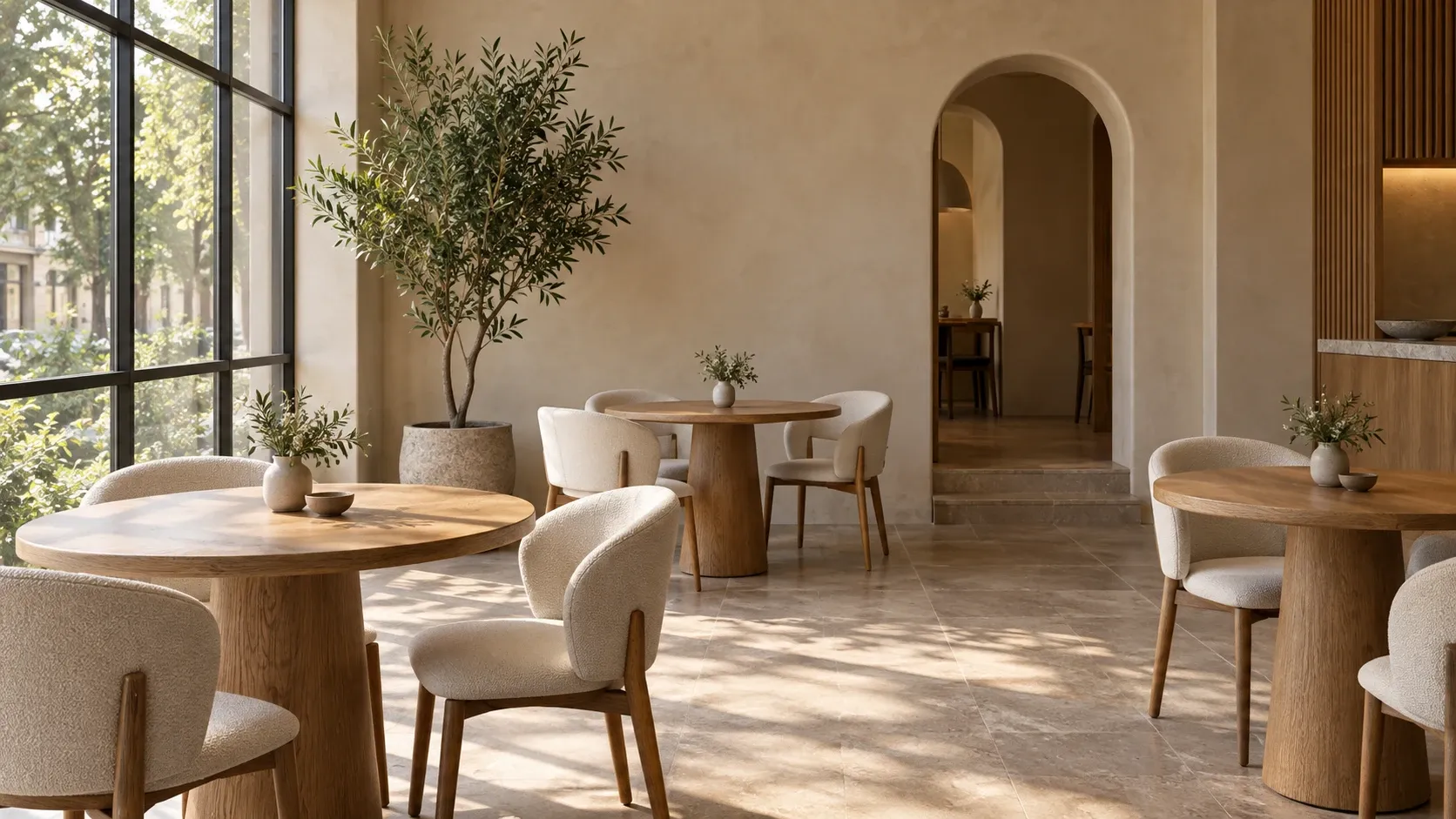
Location drift is a different problem from face drift. A character can stay the same while the room behind them changes. Doors move. Windows multiply. A lamp switches sides. These jumps can break the scene even when viewers cannot name them.
The fix is to treat your location as a documented set, not a prompt guess. You need a floorplan, a camera side map, a prop list, and a permitted reference version. This guide shows a proposed workflow for building that set.
Why locations drift
Generative video tools handle references differently. Some tools accept a reference image. Others rely mainly on text prompts. When a tool reinterprets your prompt for each scene, small guesses compound. A cafe becomes a slightly different cafe. An office gains a window that was not there before.
Lighting direction is a common failure point. A window on the left in scene one becomes a window on the right in scene two. Shadows flip. The cut feels wrong even when the viewer cannot explain why.
Props are another failure point. A red mug appears, disappears, then returns in a different spot. A clock shows a different time. These details are easy to miss in review but visible to a careful viewer.
The W3C notes that visual information can carry meaning that is not spoken (W3C media accessibility). When your background shifts, that visual information becomes unreliable. The location stops supporting your message and starts distracting from it.
What location consistency is not
Location consistency is not character identity. Keeping the same face and voice is a separate task. If you need help with that, read How to Make Consistent Character AI Videos.
Location consistency is also not a guarantee. Do not assume a reference image guarantees a matching output. Check the actual export and the controls your tool offers. Plan for review and repair.
Location consistency is not the same as combining real and AI footage. That workflow has its own challenges. See How to Combine AI and Real Footage for that guide.
A proposed location consistency workflow
This workflow treats your location like a small film set. You document it once, then reuse the documentation for every scene.
Step 1: Draw a simple floorplan
Sketch the room from above. Mark these fixed elements:
- Walls and doorways
- Windows and their compass direction
- Main light sources
- Large furniture
- The camera position for each planned shot
Keep the sketch rough. A rectangle with labels is enough. The goal is a shared reference, not an architectural drawing.
Step 2: Build a camera side map
List every planned camera angle. For each angle, note what the viewer should see in the background. Define left and right in world coordinates, not screen coordinates. A reverse angle naturally swaps sides. If you cut from a front view to a reverse view, the window that was screen-left becomes screen-right. That is correct continuity, not drift.
Example entries:
- Angle A, medium shot, camera facing north: Speaker at table, window behind left shoulder, counter visible on right
- Angle B, wide shot, camera facing south: Full room, door on far wall, three tables visible
- Angle C, close-up, camera facing north: Speaker only, blurred wall with framed print
This map tells you what to check in each render. If Angle A shows the window on the wrong side, you caught a drift.
Step 3: Write a prop list
List every object that appears in more than one scene. Also list important single-shot props that carry meaning. A prop that appears once can still matter if it anchors the scene. Include each prop's position and any notable details. Keep the list short. Fewer tracked props means fewer chances to drift.
Example prop list:
| Prop | Position | Details |
|---|---|---|
| Red mug | Table, right of speaker | Plain red, no logo |
| Table lamp | Counter, far left | Brass base, cream shade |
| Framed print | Wall behind speaker | Black frame, abstract blue art |
| Door | Far wall, center | Wood, brass handle |
Define left and right against a fixed room map. A reverse camera angle can naturally swap a window from screen-left to screen-right. Compare the same angle, or use the floorplan to explain a valid change.
Step 4: Create a permitted reference version
For a fictional set, choose an approved generated scene as the baseline. For real premises, start with accurate photographs and a layout you have permission to use. Remove private details and record permitted uses. Save a versioned reference, such as cafe-set-v2, and name the person who approves changes.
Do not expect the model to copy the reference exactly. Use it as a visual checklist. Compare doors, windows, lighting direction, and props side by side.
Step 5: Review each scene against the reference
Before you accept a render, open the reference and the new scene together. Check these items in order:
- Do doors and windows match the floorplan?
- Does light come from the same direction?
- Are tracked props present and in position?
- Does the camera angle match the side map?
- Are there new objects that were not in the reference?
Log any drift you find. Fix small issues with a re-render or a revised prompt. Fix large issues by returning to the floorplan.
Location consistency worksheet
Use this table for each project. Fill it before you render, then check each scene against it.
| Item | Your entry | Scene 1 check | Scene 2 check | Scene 3 check |
|---|---|---|---|---|
| Room type | ||||
| Door position | ||||
| Window position | ||||
| Light direction | ||||
| Camera angle A background | ||||
| Camera angle B background | ||||
| Prop 1 and position | ||||
| Prop 2 and position | ||||
| Prop 3 and position | ||||
| Reference version filename |
Mark each check as pass, drift, or not applicable. A drift mark means you need a repair before moving on.
Fictional worked example: cafe drift repair
This example is fictional. It shows the workflow, not a measured result.
A creator makes a three-scene video set in a small cafe. The speaker sits at a table near the front window.
Scene 1 renders well. The window is behind the speaker's left shoulder. A red mug sits on the table. The counter is visible on the right. The creator saves this as the reference.
Scene 2 drifts. The window moves behind the speaker's right shoulder. The red mug is gone. A second door appears on the left wall.
The creator checks the floorplan. The floorplan shows one door, on the far wall. The window should stay left. The mug should stay on the table.
Both shots use the same camera position in this example. The creator revises the prompt to name the window side, the single door, and the mug position. The re-render matches the reference on all three points.
Scene 3 drifts differently. The layout is correct, but the light now comes from the right. Shadows fall the wrong way. The creator adjusts the lighting direction in the prompt and re-renders. The scene passes.
The final video keeps one cafe across all three scenes. The repair took two re-renders and two prompt revisions.
Edge cases
Outdoor locations. A floorplan still helps. Mark the sun direction, time of day, and fixed landmarks. Trees and buildings drift just like walls and windows.
Fantasy or fictional spaces. You can invent the floorplan. The point is to document your invention before you render. Unverified geometry is fine for a fictional set. It is not fine for a real property you are advertising.
Real premises in ads. Do not imply amenities that do not exist. The US FTC requires ads to be truthful and non-deceptive (FTC Advertising FAQ). If your AI video shows a real cafe, do not add a patio or a second entrance that the real location lacks. Use a fictional set for invented features. Choose a real, approved reference image when the video represents actual premises.
Reference image rights. If you use a reference image, confirm you have permission to use it for the planned output. A photo you found online is not automatically yours to feed into a generative tool. Check the license or get written permission.
Multiple rooms. Create a floorplan per room. Track transitions between rooms. A doorway that changes position between scenes is a common drift point.
Long videos. Drift risk can rise with scene count. Review more often. Consider breaking long videos into shorter location blocks.
Simple prompts that fail. A short prompt may not hold the location. If a simple prompt keeps drifting, fall back to a stronger control. Reuse an approved still from your reference render. Or use actual footage of the location when you have it.
Frequently asked questions
Can a reference image lock my location?
No. A reference image can guide the model, but it does not guarantee identical output. Treat the reference as a checklist, not a lock. Plan for review and repair.
How many props should I track?
Track props that appear in more than one scene, plus important single-shot props that carry meaning. Three to five is one suggested starting scope, not a limit. More props means more drift risk and more review time.
Does location drift matter for accessibility?
It can. If visual information carries meaning, a shifting background can confuse viewers who rely on visual cues. The W3C guidance covers when visual information needs description (W3C media accessibility). A stable location makes that description easier to write.
Start with one documented set
Pick your next multi-scene video. Draw the floorplan before you render. Write the camera side map and prop list. Generate one reference scene and accept it. Then check every later scene against that reference.
Location consistency is a documentation habit. The record gives reviewers a clear basis for identifying drift; it does not promise fewer renders. For a broader preflight that catches other AI video mistakes, see Common AI Video Mistakes (and How to Fix Them).
This article provides general information about AI video production. It does not offer legal advice. For questions about advertising claims, property representations, or reference image rights, consult a qualified professional.
More from Kyndrify

Make your first video without filming.
Say what you need and the studio makes it: video, images, voices. Start free, no credit card.