

What Equipment Do You Need for AI Video?
Almost none. AI video needs a browser and a script, not a camera, lights, or a studio. Here is the short list.
What Equipment Do You Need for AI Video?
Almost none. That is the honest answer.
You do not need a camera. You do not need lights. You do not need a studio or a crew.
You need a computer, a browser, and a script. That is it.
This guide breaks it down. We compare old-school gear to the AI way. Then we show the tiny list you need to build your Twin.
What Equipment Does AI Video Actually Require?
Almost nothing. You need a device that runs a browser.
Kyndrify runs in the browser. There is nothing to install.
So your laptop is enough. Your desktop works too. You write a script, and the tool does the rest.
The motto says it best. "Be on camera. Without the camera." You get the video without the gear.
What Gear Does Traditional Video Need?
A lot. Traditional video is gear-heavy by design.
Here is the usual shopping list:
- A camera, and often a backup
- Lights, stands, and softboxes
- A good microphone
- A tripod or rig
- An editing computer with software
- A quiet space or a booked studio
- Hours of your time
Each item costs money. Each one needs setup. And each one can go wrong on the day.
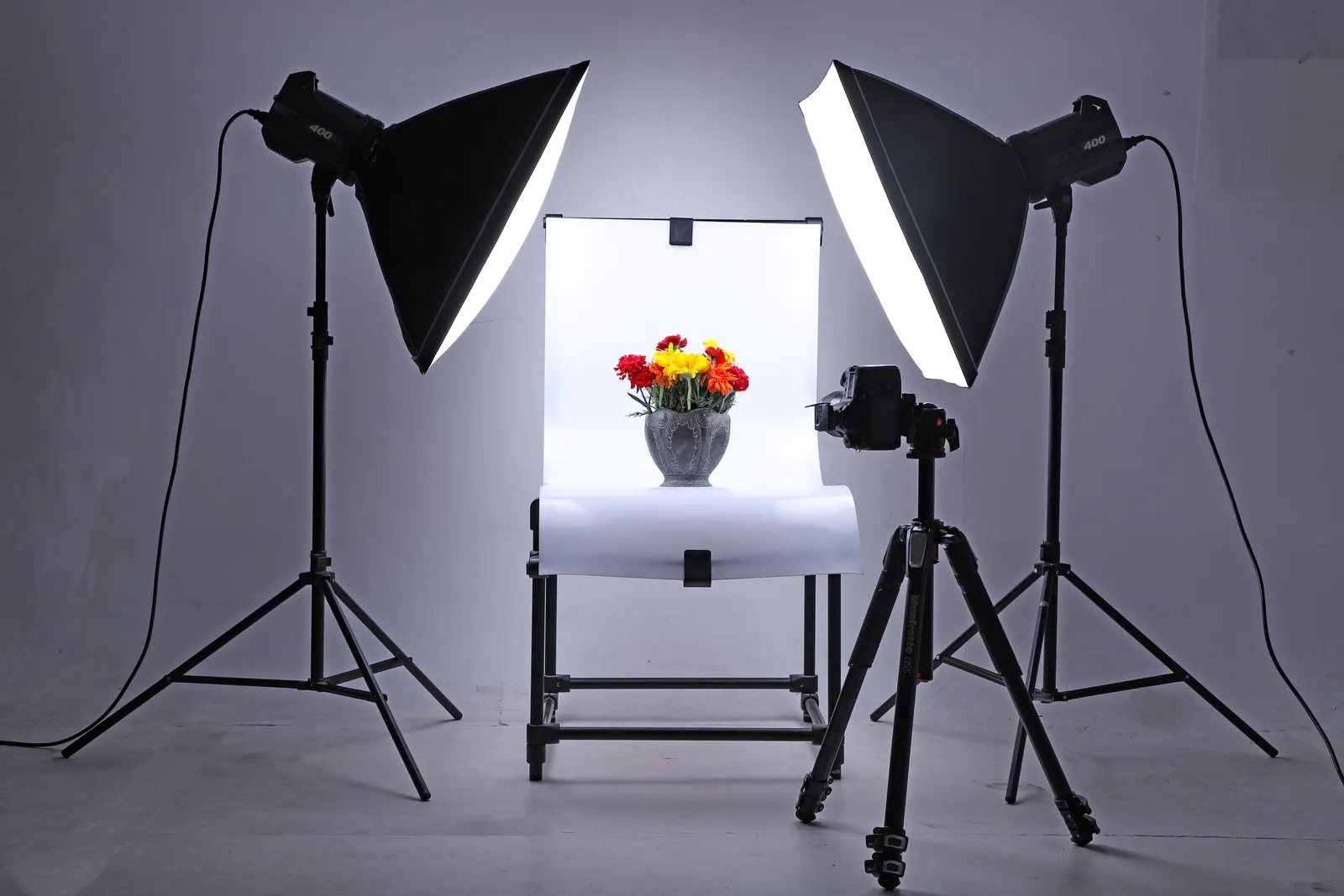
That is fine for some people. But it is a wall for many. Gear stress is real.
How Is AI Video Different?
It skips the gear. AI video swaps hardware for a script.
You type what you want to say. The tool turns it into a video.
There is no lighting to fuss over. There is no audio to balance. There is no footage to edit for hours.
The contrast is simple:
- Traditional video: camera, lights, mic, editing rig, time
- AI video: a browser and a script
One path is heavy. The other is light. You choose.
What Do You Need to Build Your Twin?
Just two small things. A photo and a short voice sample.
Your Twin is your on-screen presence. Kyndrify builds it from a simple photo and a short voice clip.
You do not need a photo shoot. A clear, recent photo works.
You do not need a recording booth. A short, clean voice sample is enough.
Once your Twin exists, you reuse it. You write a new script anytime. Your Twin speaks it for you.
How Do You Take a Good Photo for Your Twin?
Keep it simple and clear. Use one decent photo with good light.
A few tips help a lot:
- Face the camera straight on
- Use soft, even light
- Avoid heavy shadows on your face
- Use a plain background if you can
- Pick a recent photo that looks like you
You do not need a pro. Your phone camera is fine. Just aim for clear and well-lit.
How Do You Record a Clean Voice Sample?
Find a quiet room and record once. A short, clean sample is all you need.
Use these tips:
- Sit in a quiet room with no echo
- Turn off fans and music
- Speak in your normal voice
- Hold the mic or phone close
- Record it just once and move on
You do not need fancy audio gear. A phone or laptop mic works. Quiet matters more than expensive.

Why Is This So Freeing?
It removes the biggest barrier. Many people avoid video because of gear.
Buying kit is costly. Learning it takes time. Setting it up is a chore.
AI video drops all of that. You skip straight to the message.
This helps people who hate gear. It helps busy folks too. And it helps anyone who just wants to start.
Prompt engineering is built in. So you do not need to be an expert writer either. The tool guides your script.
What Does It Cost to Try?
You can start free. The free tier needs no credit card.
That means you can test it with no risk. Free renders use preset avatars and voices. You can build a Starter Twin and view a short preview. Own-face rendering starts on an eligible plan such as Plus.
Before you use videos for business, confirm your rights and current plan terms. You can review the options on our pricing page.
Frequently Asked Questions
Do I need a camera for AI video?
No. You do not need a camera at all. You only need a browser and a script.
Do I need to download software?
No. Kyndrify runs in the browser. There is nothing to install.
What do I need to build my Twin?
Two things. One decent photo and a short voice sample. That is all.
Do I need a professional photo or studio audio?
No. A clear, well-lit photo works. A quiet, single voice recording works too.
Is there a free way to try it?
Yes. The free tier needs no credit card. Free renders use preset avatars and voices. Own-face rendering starts on an eligible plan such as Plus. Before you use videos for business, confirm your rights and current plan terms.
Ready to Skip the Gear?
You do not need a camera, lights, or a crew. You need a photo, a voice clip, and a script.
Try Kyndrify free and build your Starter Twin today. Kyndrify is built by Through the Glass Creatives.
Related reading
More from Kyndrify

Make your first video without filming.
Say what you need and the studio makes it: video, images, voices. Start free, no credit card.