

AI Video for Recruiters
A source-checked guide to AI video for recruiters, with job-claim, targeting, candidate-data, accommodation, and release gates.
AI Video for Recruiters
Recruiters can use AI video for approved public role and process content. Job terms, audience targeting, employer claims, candidate data, personalized outreach, testimonials, accommodation, interview or selection decisions, and another person’s likeness or voice need strict gates. These include source, privacy, accessibility, nondiscrimination, consent, and distribution checks. This article explains what AI video can do inside those boundaries. It also covers how to build a recruiting release record and where a tool such as Kyndrify fits. It does not promise attention, trust, applications, response, drop-off, speed, reach, conversion, hiring, or any outcome.
What AI video can do for recruiting teams
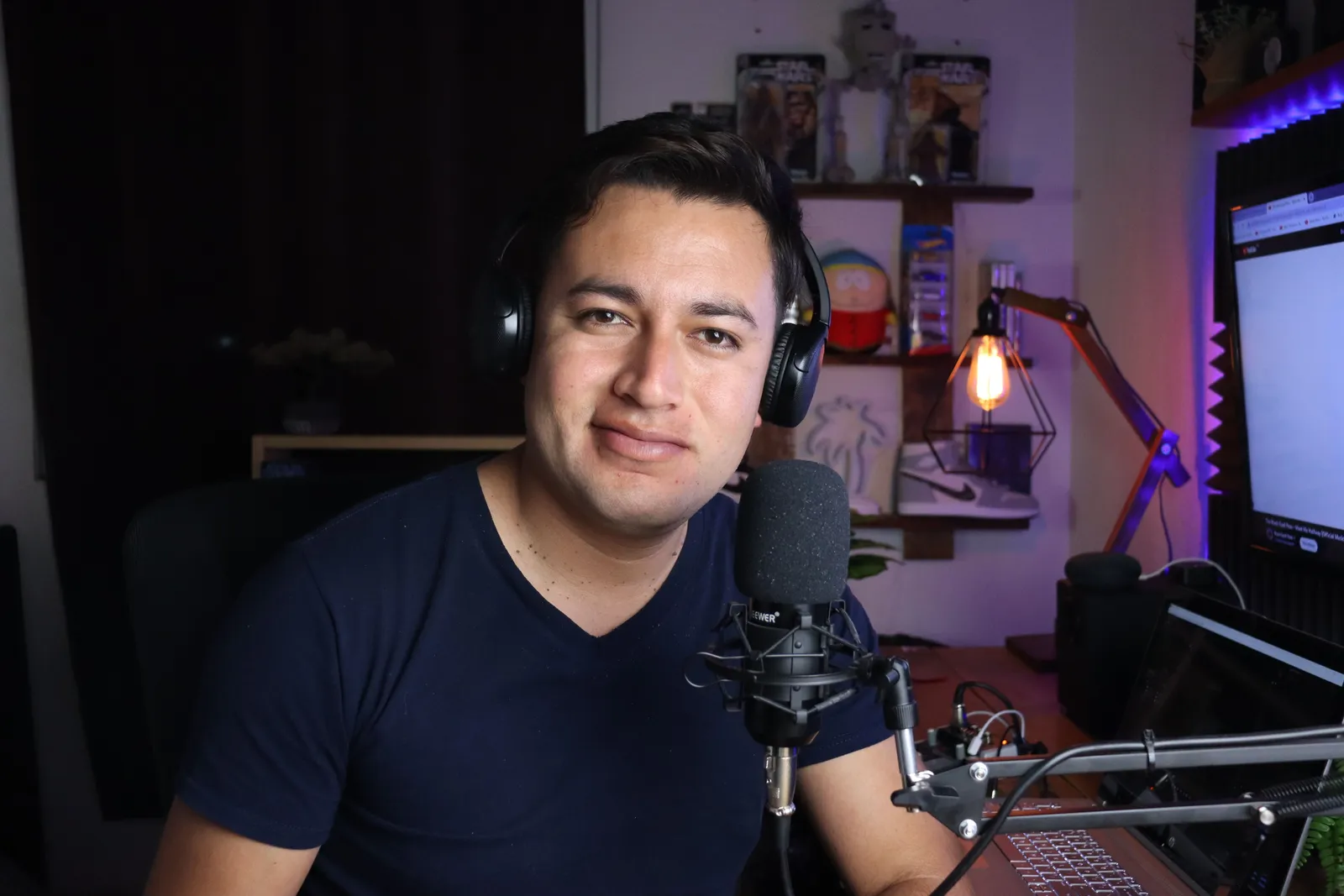
Kyndrify documents a Twin built from a headshot and short voice clip. The Twin reads a script in a Render. That format can carry an approved process guide or role spotlight. It does not replace human judgment, source review, or employer approval. Each clip needs a correction or takedown trigger tied to the job facts and application route.
Where the legal and ethical gates sit
Not every recruiting message belongs in an AI video. The U.S. Equal Employment Opportunity Commission states that a job ad may not show a preference based on protected characteristics. It also may not discourage someone from applying on those bases. Recruitment and hiring practices also may not discriminate on those bases (EEOC prohibited employment policies and practices). Review the full message, images, examples, distribution, targeting, and linked application path together. This article does not provide a complete legal list or approve any single campaign.
Covered employers must provide reasonable accommodation for the application process when required, subject to the ADA's standards (EEOC job applicants and the ADA). Preserve a current route to request accommodation. Keep disability and medical information out of public recruiting content.
A video endorsement from a paid employee, agency partner, or rewarded candidate needs a clear disclosure. The Federal Trade Commission expects this disclosure where people will notice it. In a video, the disclosure should be in the video itself. It should not be only in the description (FTC Disclosures 101 for Social Media Influencers). This article does not invent typical hiring or employment outcomes.
A tiered risk model for recruiting content
Not all recruiting content carries the same risk. Use this framework to decide what to script and what to gate.
- Recruiting-team logistics. A video that explains how to navigate the careers site or how to request accommodation. Low risk when kept factual and current.
- General hiring-process guide. A walk-through of stages and who candidates will meet. Keep timelines general. Avoid promising a specific offer date.
- Role spotlight. A script that describes the work, the team, and the mission. Tie every claim to a current, public job posting. Remove the clip when the posting changes.
- Employer or culture claim. Statements about pay, benefits, location, schedule, or job security must match a verifiable source. A claim that cannot be sourced should not appear.
- Targeted campaign. Distribution and audience selection can create a discrimination risk. Review targeting alongside the video content.
- Employee or candidate story. A testimonial needs documented consent. It also needs a material-connection disclosure when required and a clear takedown owner. Never use another person’s likeness or voice without verified consent.
- Personalized candidate outreach. A video that names a specific candidate uses personal data. That triggers privacy, data-retention, and nondiscrimination obligations. Most teams should gate this tier behind legal and HR review.
- Selection, medical, or accommodation content. Any video that touches interview scoring, disability-related questions, medical exams, or accommodation decisions belongs in the highest-risk tier. Do not automate it with AI video without qualified legal guidance.
A recruiting release record
Before publishing any AI-generated recruiting video, complete a release record. Keep it with the campaign archive.
- Employer and role identifier
- Audience, channel, and targeting description
- Link to the current public job source and a timestamp
- Exact script words and a description of visuals
- Any pay, location, schedule, or benefit claim with its source
- Nondiscrimination review sign-off
- Current application link and accommodation request route
- Candidate-data decision (was personal data used?)
- Material-connection disclosure, if applicable
- Consent record for any person whose face or voice appears
- Employer or legal approval
- Expiry date or change trigger
- Archive location and takedown owner
How Kyndrify fits the workflow
Kyndrify documents a verified face-and-voice Twin reading a user-supplied script. Setup uses a headshot and a short voice clip. Each Render gives a download and a hosted link. Longer scripts can be split and stitched. The service documents recorded consent, shared credits with pay-as-you-go packs, AI disclosure, and provenance features that are still rolling out.

Those facts do not prove job accuracy or nondiscrimination. They do not prove candidate consent, privacy, accommodation, or employer approval. Keep each check in the recruiting release record.
Kyndrify’s public pages document a Free plan with 8,400 one-time signup credits, Plus talking-head video up to 1080p, and ten speech languages. They do not document rendering speed, personalization fields, templates, or B-roll. Kyndrify says it does not use your photos, voice, scripts or finished media to train a Kyndrify model. Commercial rights require current plan and Terms confirmation. Any claim about those features should be verified on the official site before use.
Cost inputs, not outcome promises
Build the budget from real inputs. Count job-source review, writing, nondiscrimination review, privacy and access work, employer approval, the Render charge, final viewing, distribution, correction, archive, and takedown work. Kyndrify uses shared credits across supported tools, but the approved pages do not provide enough detail to calculate a recruiting team's total cost here.
A fictional interview-process script
Below is a script for a hiring-process explainer. It uses placeholders only. It contains no real candidate, guaranteed timeline, pay, benefit, job-security, or selection claim. Replace every bracket with approved, sourced content before use.
“Hi, I’m [First Name], a recruiter at [Company]. I want to walk you through what to expect after you apply for the [Role Title] position.
The first approved step is [step name]. It uses [approved format]. Current details are at [application or process page].
The next approved step is [step name]. The current format and preparation note are [approved source wording].
Later steps, if any, are listed at [approved page]. Check that page because the process may change.
If you need an accommodation for the application process, use [current accommodation route]. For other help, use [current recruiting contact].
I look forward to speaking with you.”
Release a public hiring-process clip in plain steps
Start with one live job and one public source. Write down the role ID. Add the employer, site, work place, schedule, pay source, application link, and check time. Do not use a copied post as the source if the main job page has changed.

Pick a narrow goal. A process clip can point to the current steps and help route. It should not promise a call, test, meet, offer, or date. It should not say that each person gets the same path when that is not true.
Draft with blank fields. Use [role], [process page], [application link], and [help route]. Fill each field from the approved job source. Leave out any field that has no owner or proof.
Now read the words as a job ad. Mark each line about pay, bonus, place, remote work, shift, term, leave, health plan, growth, job safety, team, or culture. Link each line to the current source. Delete vague praise that no source can test.
Check the images and examples. Who is shown at work? What age, role, dress, site, and task does the clip imply? Could the words or art tell a group not to apply? Send the full voice, text, art, link, and target set through the employer's nondiscrimination review.
Check the audience. Record where the clip will run. Record each filter, list, partner, and paid target. A broad script can still be sent through a narrow route. Review the two parts as one campaign.
Check the application path. Open the link. Make sure the role is live. Check the job ID and place. Check that the current accommodation route can be found and used. Do not let the video become the only way to learn or apply.
Run the candidate-data stop gate. A public role clip should not contain a candidate name, CV fact, email, phone line, score, note, disability fact, health fact, interview clip, or case result. Stop if the draft was built from one person's file.
Treat personal outreach as a new tier. Do not drop a name into a public script and call it a new file. Map the privacy notice, source, purpose, access, retention, review, and deletion rule. Record the employer's approval for that exact use.

Check each person on screen. Keep the Twin subject's recorded consent. If an employee, agency partner, or candidate gives a story, add the employer's release too. Check whether money, work, a gift, or another tie must be clear in the video under the FTC guide.
For a detailed rights-safe production path covering consent, data review, and release controls, see TTGC's guide on how AI avatars are made.
Build one release pack. Add the employer, role ID, source time, script, screen text, art, claim proof, target set, job-ad review, application and accommodation route, data decision, material tie, consent, approval, end trigger, archive, and takedown owner.
Make the Render only after approval. Watch it with the source open. Check each job fact. Pause on each screen. Test the link. Check the first and last frame. Confirm that the final file matches the signed pack.
Set change triggers. Pause the clip when the role closes. Pause it when pay, place, schedule, work mode, process, help route, or application link changes. Reopen the full pack before a new version goes live.
Use a short stop test. Stop for an old job. Stop for a false claim. Stop for a narrow target with no review. Stop for candidate data. Stop for a person with no consent. Stop for a broken help route. Stop for a file that no human watched.
This path clears no hiring choice. It makes no score. It ranks no one. It does not handle a medical question or accommodation case. Those tasks stay in the employer's approved human, HR, and legal process.
Close a role and clear the old clip
A role can close while a post is still live. Plan for that day before you launch.
Put the role ID in the file record. Add the close date if there is one. Add the source owner. Add the person who can pause each page, post, ad, and partner link.

Keep a route list. Name the career page, social post, paid ad, recruiter page, agency page, and any shared link. A clip can be gone from one page and still run on five more.
When the role closes, stop the campaign. Check each route. Do not change the title to “closed” and leave a full job pitch live. Remove the clip or use the employer's approved closed-role plan.
Check saved and shared pages too. A host link may still work after a post is gone. Ask the takedown owner to test the link as a user. Record the result.
If the role reopens, do not reuse the old file by default. Open the job source. Check pay, place, shift, work mode, term, team, process, application link, and help route. Run the ad, target, access, data, and consent checks again.
Give the new version a new name and date. Keep the old pack in the archive. Do not overwrite the record. A reviewer should be able to tell which clip ran for which job facts.
If the employer fills the role but keeps a talent pool open, treat that as a new message. State the true purpose. Do not imply that the closed role is still open. Check what data the pool takes and how long it stays.
If a person asks why the link failed, send them to the current public jobs page or help route. Do not discuss another person's case. Do not promise that a new role will open.
This close-out work is part of the cost. Count it. It is also part of fair public use. A strong release plan includes the end, not just the launch.
Run one last plain check. Is the job open? Does the link work? Are the pay and place right? Can a person ask for help? Was the target set reviewed? Does each face have consent? Can the owner pull the clip now? Stop for any “no.” Fix the source, route, record, and file before the next view.
Frequently asked questions
Can I use AI video for personalized candidate outreach? You can generate a clip that includes a candidate’s name, but that uses personal data. Before you do, confirm that your privacy notice, data-retention policy, and nondiscrimination review allow it. Many teams gate personalized outreach behind legal and HR approval. Never imply a live recording when the video is AI-generated.
Does AI disclosure satisfy all legal requirements? No. Kyndrify documents AI disclosure and provenance features that are still rolling out, not guaranteed on every file. They do not prove job accuracy, nondiscrimination, candidate consent, privacy, accommodation, or employer approval.
What happens when a role changes? Set a correction or takedown trigger in the release record. When the role, location, pay, schedule, process, or application link changes, pause the clip and send the full file through review again.
Can I feature a real employee’s story? Only with documented consent, a clear material-connection disclosure when required, and a defined takedown owner. The FTC expects disclosures to appear in the video itself, not only in the description (FTC Disclosures 101 for Social Media Influencers). Never use another person’s likeness or voice without verified consent.
What does Kyndrify actually provide? Kyndrify documents a verified face-and-voice Twin that reads a user-supplied script. Each Render has a download and hosted link. The company also documents recorded consent, shared credits with pay-as-you-go packs, AI disclosure, and provenance features that are still rolling out. Speed, personalization, templates and B-roll are not documented on those pages. The Free plan, ten speech languages and Plus 1080p are documented elsewhere on the official site. Terms cover ownership, and a product FAQ describes paid commercial use. Confirm your rights, plan and current Terms before business use.
Disclaimer
This article does not provide legal advice. Employment, advertising, privacy, and accessibility rules vary by jurisdiction. Review every script, visual, distribution channel, and targeting choice with the right employer and legal owners. Kyndrify product facts were checked on 26 September 2026. Check the official pages again for current features and pricing.
Related reading
More from Kyndrify


Make your first video without filming.
Say what you need and the studio makes it: video, images, voices. Start free, no credit card.